Groovy: A Retro Serif Font for Bold Designs
As a graphic designer constantly juggling brand identities for boutique clients and handmade businesses, my first impression of a new typeface usually happens within seconds of opening the file. When I loaded Groovy onto my workspace this morning, I was immediately struck by its confident personality. This isn't just another display font; it is a vibrant groovy-style typeface that exudes retro charm while maintaining a modern flair designed to captivate attention. For my current project—a rebrand for a local vintage clothing boutique launching a summer festival campaign—this font felt like an instant match. It infuses designs with a funky, eye-catching vibe that screams "fun" without sacrificing the structural integrity needed for professional brand identity work.
Setting the Mood for Retro-Modern Campaigns
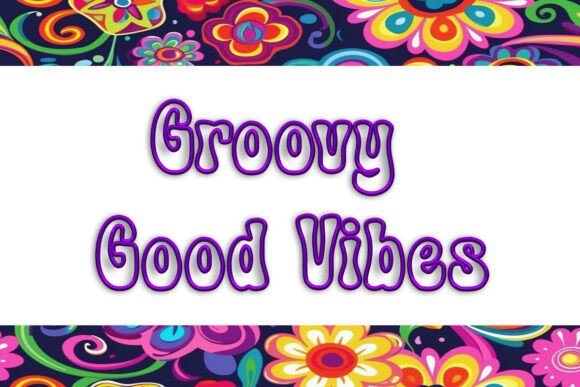
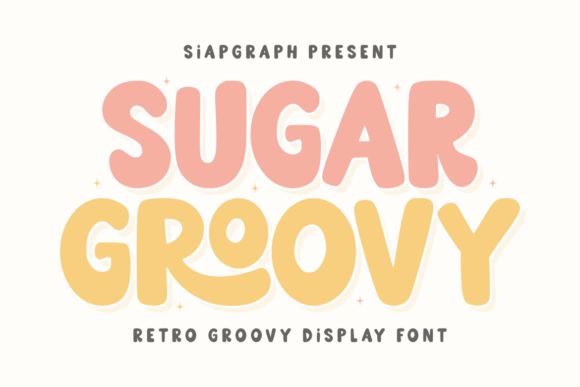
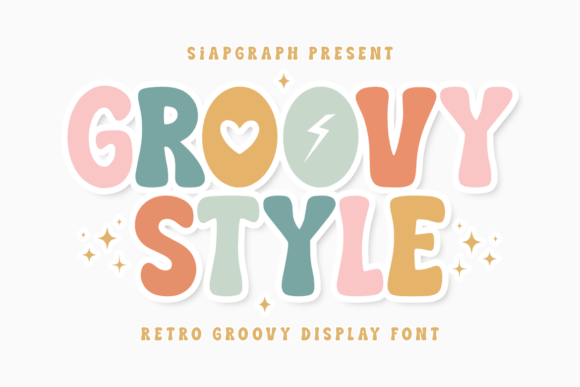
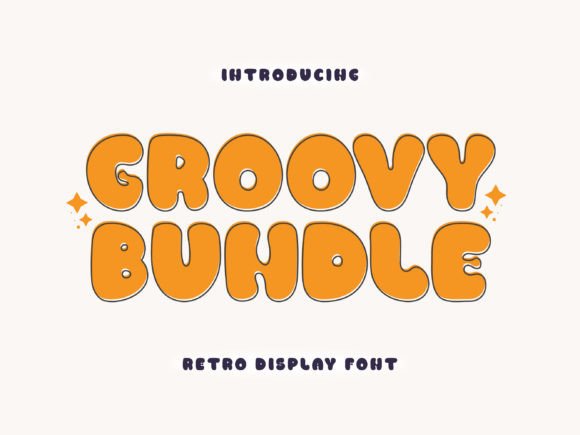
The visual elements of Groovy are distinct. The serifs are exaggerated yet balanced, creating a silhouette that feels both nostalgic and fresh. In the context of modern design, where minimalism often dominates, introducing a font with this much character can be a risky move. However, for projects targeting a younger demographic or those leaning into the Y2K and 70s revival trends, it is perfect. The font naturally fits projects that require high emotional appeal and audience engagement. Whether you are creating social media graphics for Instagram or designing a large-scale poster for a community event, Groovy sets a tone of playfulness and creativity that standard sans-serif fonts simply cannot achieve.
For small business branding, especially in the handmade business sector, standing out is crucial. I envision using Groovy for a line of artisanal coffee packaging or a series of limited-edition tote bags. The way the letters interact suggests movement and energy, making it an excellent choice for product mockups that need to pop on a crowded shelf or a digital storefront like an Etsy product listing.
Real-World Applications in Client Projects
In terms of practical application, Groovy performs exceptionally well in large layout areas and hero graphics. I tested it immediately on a conceptual logo design for the boutique's festival header. The weight of the strokes holds up beautifully against complex backgrounds, provided there is sufficient contrast. It is also ideal for packaging design labels where the brand name needs to be the focal point. Beyond print, this font translates wonderfully to digital formats. I can easily see it being used in Canva templates for bloggers or as a standout element in web design headers.
For the crafters and Cricut users in the creative community, Groovy offers fantastic potential for sticker design and sublimation design. If you are selling printable design assets or t-shirt design files on a creative marketplace, this font adds immediate value. Its thick lines and unique curves make it easy to cut and weed for vinyl projects, and it renders cleanly in SVG design formats for scalable vector graphics. Whether you are creating a digital product bundle or a single commercial design asset, the versatility here is impressive.
Where to Use Caution: Hierarchy and Legibility
However, every powerful design tool has its limitations. While Groovy is stunning for headlines, it should be used carefully in body copy or small sizes. The intricate details of the serifs can get lost when scaled down, leading to readability issues in crowded layouts. For projects requiring very clean visual hierarchy, such as corporate reports or minimalist branding suites, this font might be too loud. It is not suitable for long-form editorial design text where legibility is paramount. Instead, pair it with a clean sans-serif or a neutral serif font for the supporting text to maintain balance.
Additionally, avoid placing Groovy on low-contrast designs or busy backgrounds without a backing shape or stroke. The funky nature of the font relies on clear definition; if the edges blur against a patterned background, the "retro charm" turns into visual noise. For marketing visuals that need to convey serious trust or professionalism, use Groovy only as an accent rather than the primary voice.
Technical Checks and Designer Notes
Before finalizing any asset for a client, I run through a strict checklist. First, I test Groovy in black and white to ensure the shape language holds up without relying on color. Then, I check contrast on both light and dark backgrounds to verify accessibility. Previewing the font at various sizes is non-negotiable; what looks great on a billboard might fail on a mobile notification. I also place the text on real product mockups to see how it interacts with textures like fabric, paper, or glass.
If you are working with file formats for cutting machines or web use, inspect the PNG design transparency and SVG editability. Ensure that the curves are smooth and that there are no stray nodes that could complicate production. It is also wise to compare Groovy against other styles in your library—such as script fonts, handwritten fonts, or other display fonts—to ensure it offers something unique for your specific design bundle. Finally, and most importantly, always confirm the commercial license before using it for a client project. Understanding the rights associated with the font ensures you can legally use it for print-on-demand sales, commercial design assets, and broader distribution.
Final Verdict on Visual Impact
Ultimately, Groovy affects the overall impression of a design project by injecting personality and warmth. It boosts visual trust in creative industries by showing that the brand is approachable and stylish. While it may not replace your go-to neutral fonts, it is an invaluable addition to your toolkit for campaigns that need to break through the noise. By enhancing visual hierarchy in the right contexts and driving audience engagement through its distinctive style, Groovy proves itself as a robust graphic design asset. Whether you are a publisher, a marketer, or a digital seller, this font provides the retro-modern edge needed to make your next project unforgettable.